
First, decide what AI should do for you
The goal is not to ask AI to teach on your behalf. Use it as a fast first-draft assistant: it can organize your thinking, suggest alternatives, and convert one good plan into several useful formats. You still decide what is accurate, appropriate, and right for your learners.
Create one working conversation for the lesson and keep using it through every step. If you already use ChatGPT or Gemini, start there. If you do not want another paid subscription, LMArena can help you try and compare responses from different models. Save strong outputs in your own document because an arena is designed for model comparison, not long-term lesson management.
- Never enter a student's name, contact details, grades, diagnosis, or other identifying information.
- Replace real student details with anonymous descriptions such as “a learner who needs additional reading support.”
- Check factual claims, examples, answer keys, reading level, and cultural context before using an output.
- Follow your school or district's approved-AI policy.
Tools mentioned
AI drafts. The teacher checks the facts, protects learners, and makes the final instructional decisions.
Step 1: turn the topic into observable learning outcomes
Do not begin with slides. Begin with what learners should be able to explain, decide, demonstrate, or create by the end. A strong outcome gives every later AI request a clear target.
Fill in the bracketed details. If you do not know one of them, ask the AI to give you two sensible options instead of inventing certainty.
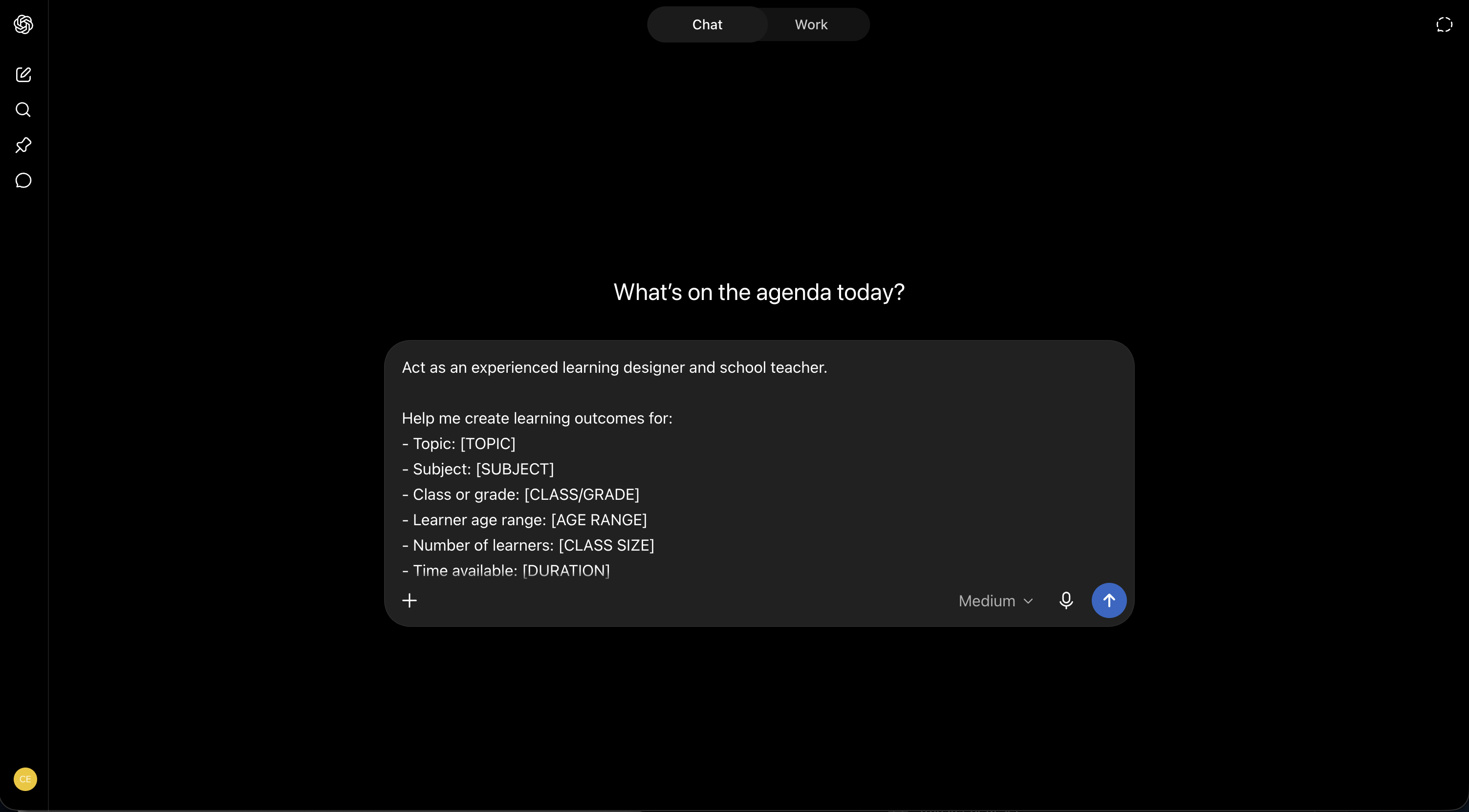
Prompt: learning outcomes
Act as an experienced learning designer and school teacher.

Help me create learning outcomes for:
- Topic: [TOPIC]
- Subject: [SUBJECT]
- Class or grade: [CLASS/GRADE]
- Learner age range: [AGE RANGE]
- Number of learners: [CLASS SIZE]
- Time available: [DURATION]
- What learners already know: [PRIOR KNOWLEDGE]
- Curriculum or standard to follow, if any: [STANDARD]
- Any learning needs or constraints: [CONSTRAINTS]

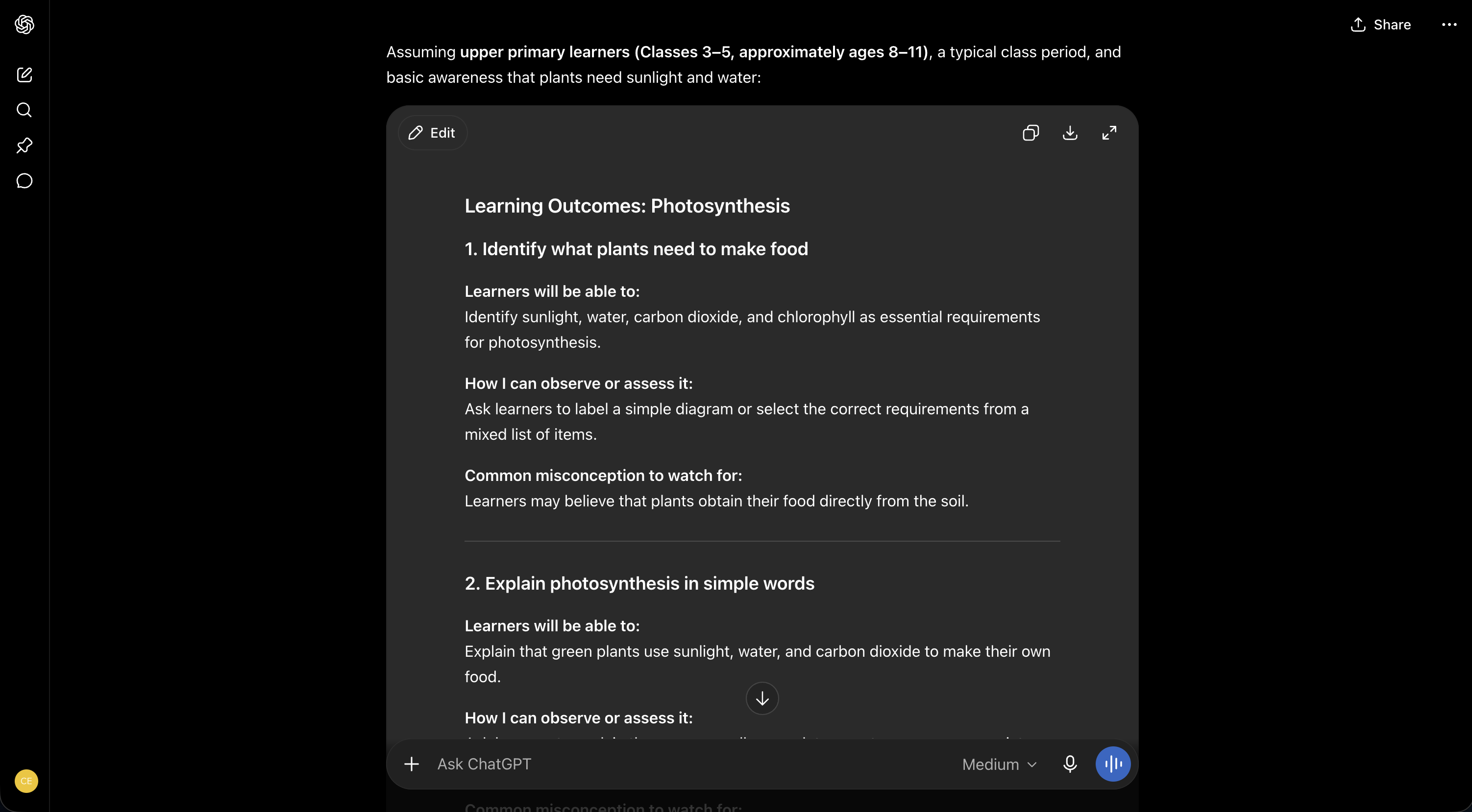
Create 3–4 observable learning outcomes. Use learner-friendly language and action verbs. For each outcome, include:
1. What the learner will be able to do
2. How I can observe or assess it
3. A common misconception to watch for

Do not create a lesson plan yet. Ask me up to three clarification questions if essential information is missing.
Step 2: build a realistic lesson plan around the outcomes
Stay in the same conversation and continue directly from the approved outcomes. Ask for a timed sequence, not a long essay. The plan should show what the teacher does, what learners do, and what evidence of learning appears.
Because you are continuing in the same conversation, the AI should reuse the class, timing, prior knowledge, constraints, and approved outcomes from Step 1. Do not type the same information again. Treat the result as a draft schedule and reduce activities if transitions, distribution of materials, or classroom settling time have been ignored.
Prompt: lesson plan
Using the approved learning outcomes and lesson context already established in this conversation, create a practical lesson plan.

Do not ask me to repeat the topic, class, duration, class size, prior knowledge, curriculum, or learner constraints. Reuse those details from our conversation. If one essential detail is genuinely missing, ask only one short clarification question before continuing.

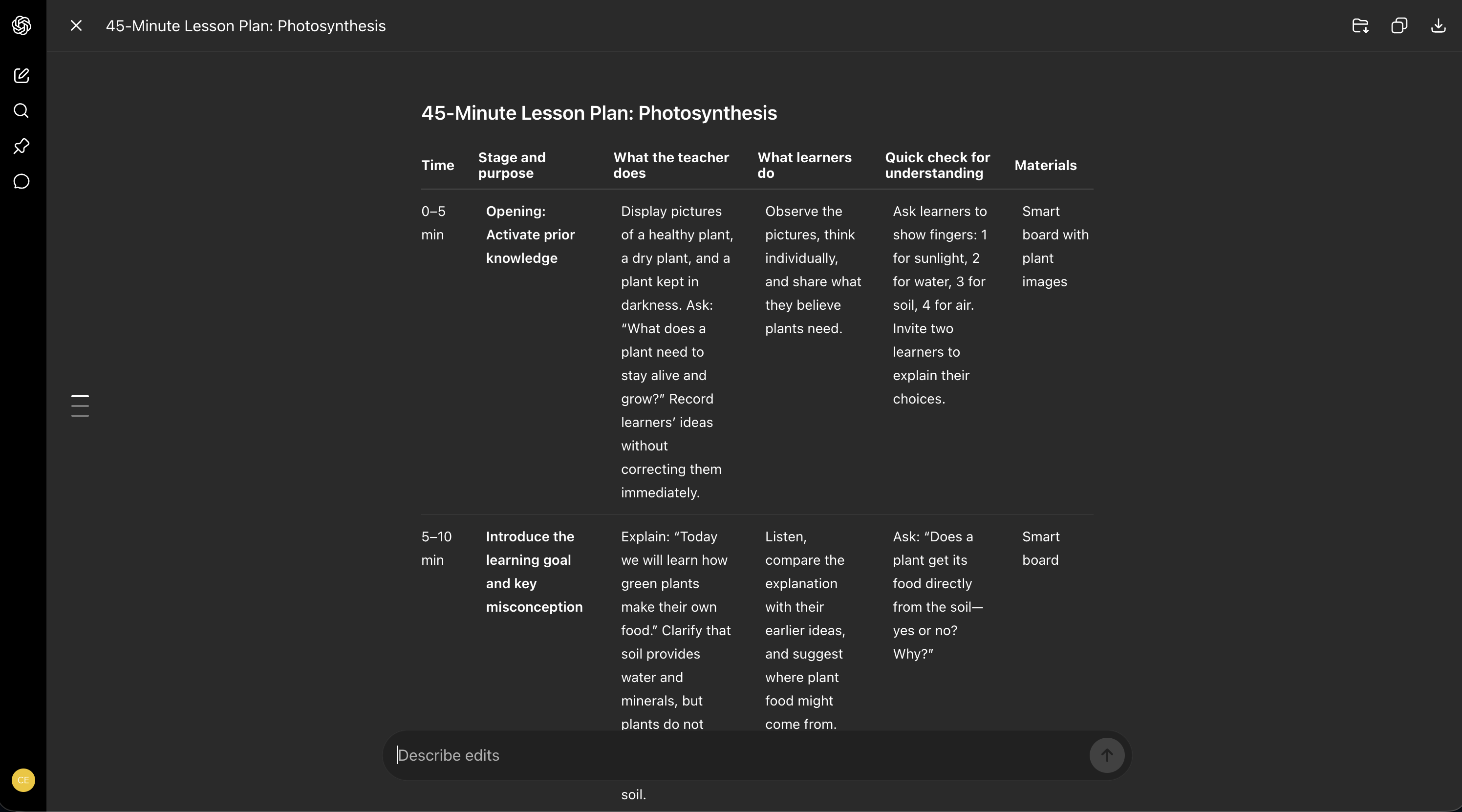
Build a table with:
1. Time
2. Stage and purpose
3. What the teacher does
4. What learners do
5. A quick check for understanding
6. Materials

Include an opening that activates prior knowledge, one worked example, guided practice, independent or group application, and a short close. Add a simpler fallback if the class needs more support and an extension if learners finish early. Keep the total timing within the duration we already agreed.
Review and edit the lesson-plan draft
Check the total timing, classroom transitions, materials, learner actions, and understanding checks before accepting the plan.
 Full size
Step 3: use BoreNO to curate the right engagement activities
Now move from your AI assistant to BoreNO. You do not need to ask ChatGPT to invent engagement strategies first. BoreNO uses the teaching context you have already created to curate activities for the actual topic and audience.
Start with the title of the workshop or the topic you are teaching. Then describe the audience. Finally, add the learning context: this can be the approved learning outcomes from Step 1, the lesson plan from Step 2, or a concise combination of both. BoreNO uses these three inputs to curate relevant activities.
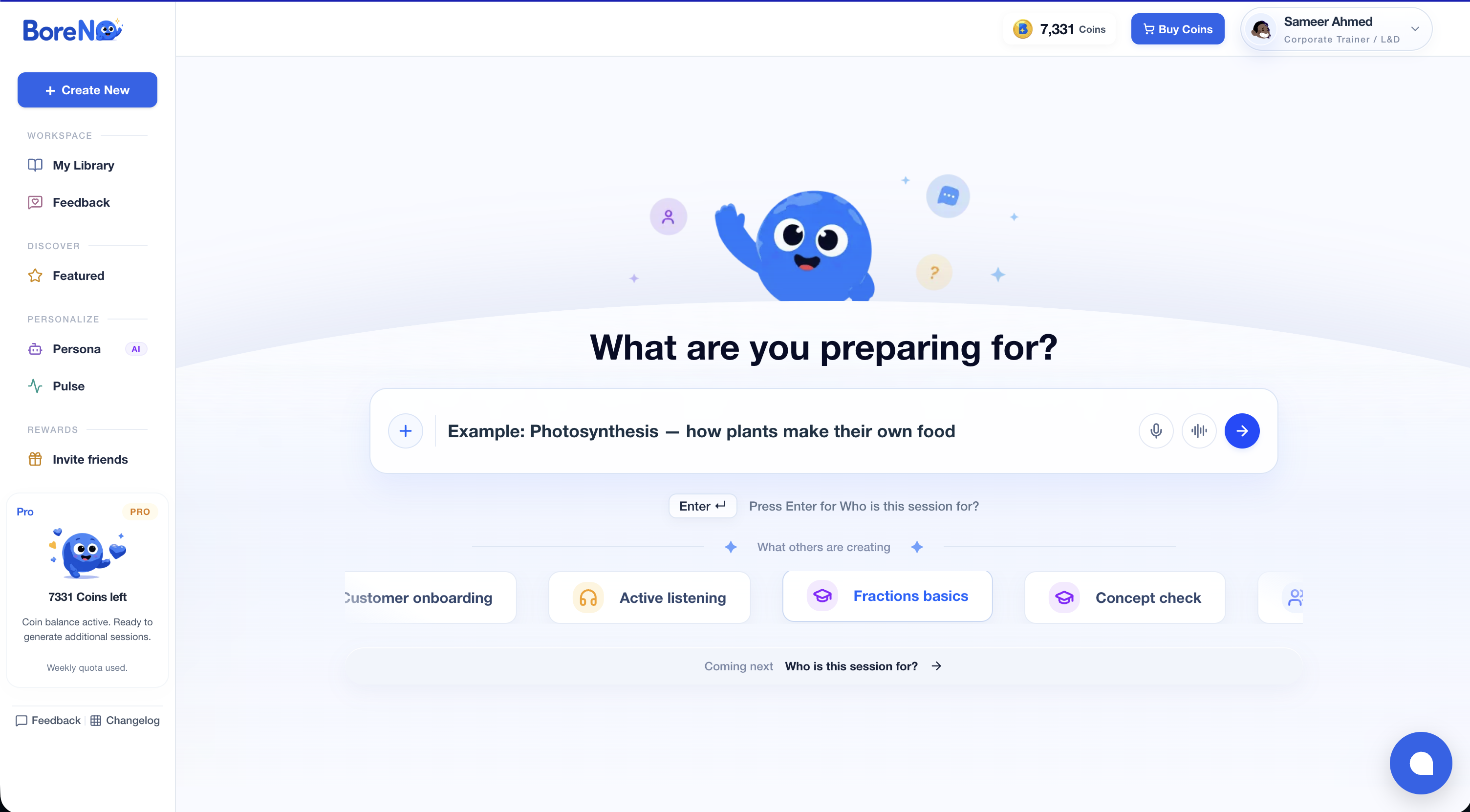
BoreNO Step 1: Title or topic
[Enter the workshop title or the topic you are teaching]

Example: Photosynthesis — how plants make their own food
Enter the title or teaching topic
Start a new creation and describe what you are preparing for. Keep the title specific enough to guide the activity curation.
 Full size
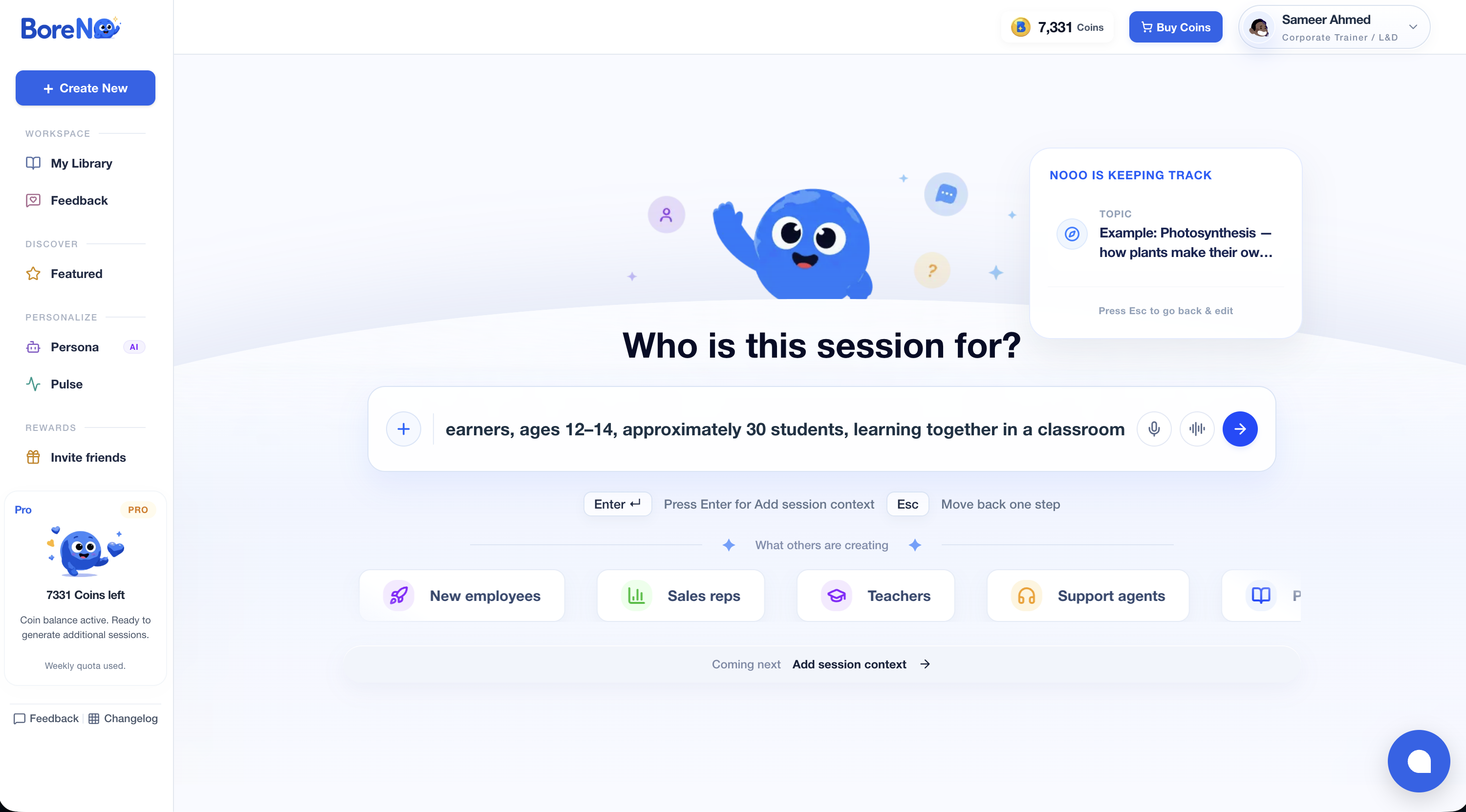
BoreNO Step 2: Audience
[Describe who will participate]

Include only the details that affect the activity choice, such as:
- class or grade
- approximate age
- number of learners
- in-person, online, or hybrid setting

Example: Class 7 CBSE science learners, ages 12–14, approximately 30 students, learning together in a classroom
Describe who the session is for
Enter the class, age range, approximate group size, and teaching setting so the activities suit the learners.
 Full size
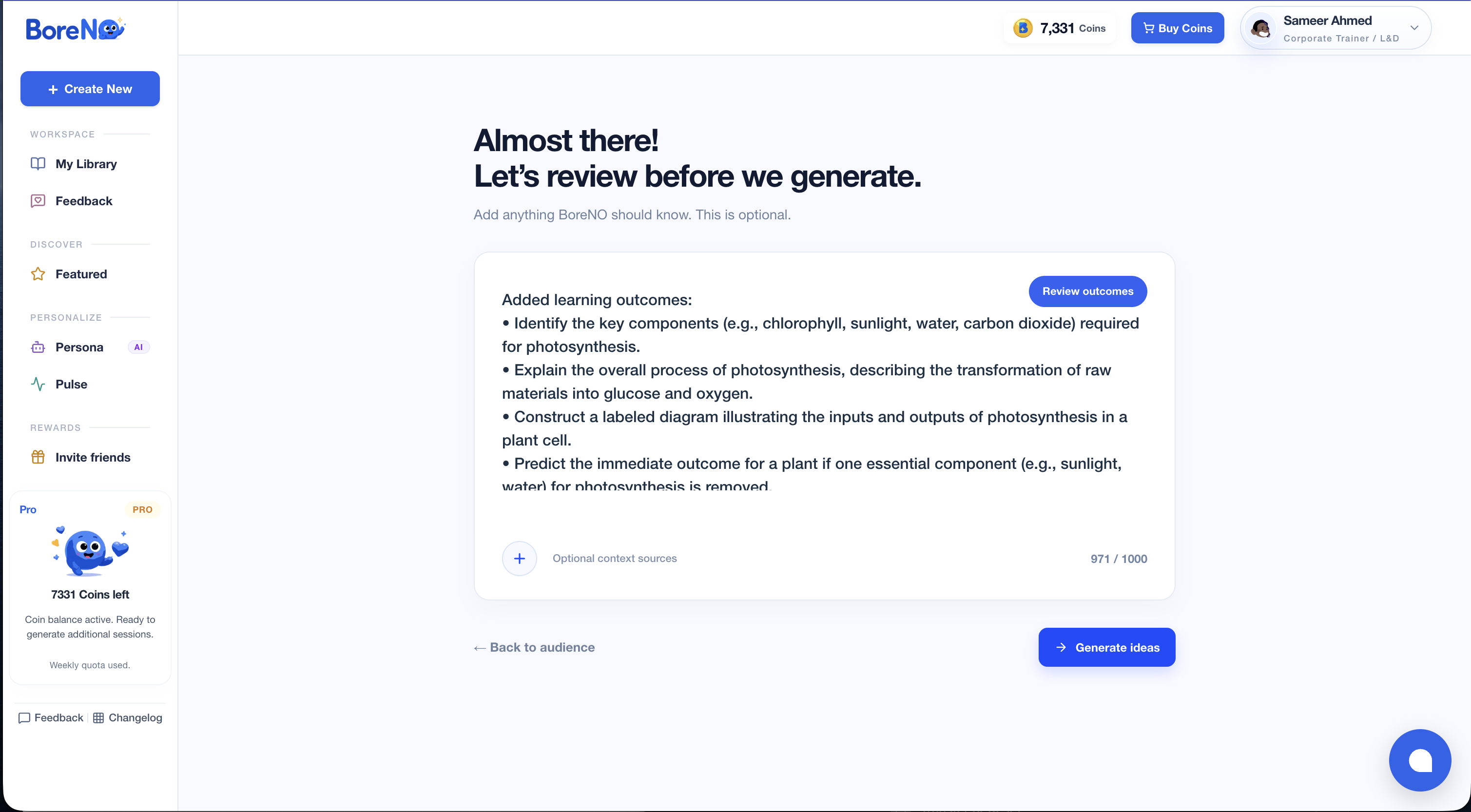
BoreNO Step 3: Learning context
[Paste the approved learning outcomes, the relevant lesson-plan section, or both]

Include:
- what learners should understand or be able to do
- prior knowledge or misconceptions that matter
- where in the lesson you need participation
- any important time, room, or material constraints

Example: Learners should identify the inputs needed for photosynthesis, explain the process in their own words, and correct the misconception that plants obtain food from soil. I need an activity after the initial explanation that gives every learner a way to demonstrate understanding.
Add and review the learning context
Paste the approved learning outcomes or the relevant lesson-plan context, review what BoreNO has captured, and then generate ideas.
 Full size
- Review the activities curated by BoreNO for fit with the learning outcome—not only for novelty or entertainment.
- Choose the activity that works with your available time, room setup, materials, and learner confidence.
- Place the selected activity into the relevant point of the lesson plan before creating slides.
- Keep one simpler activity as a fallback in case time or classroom energy changes.
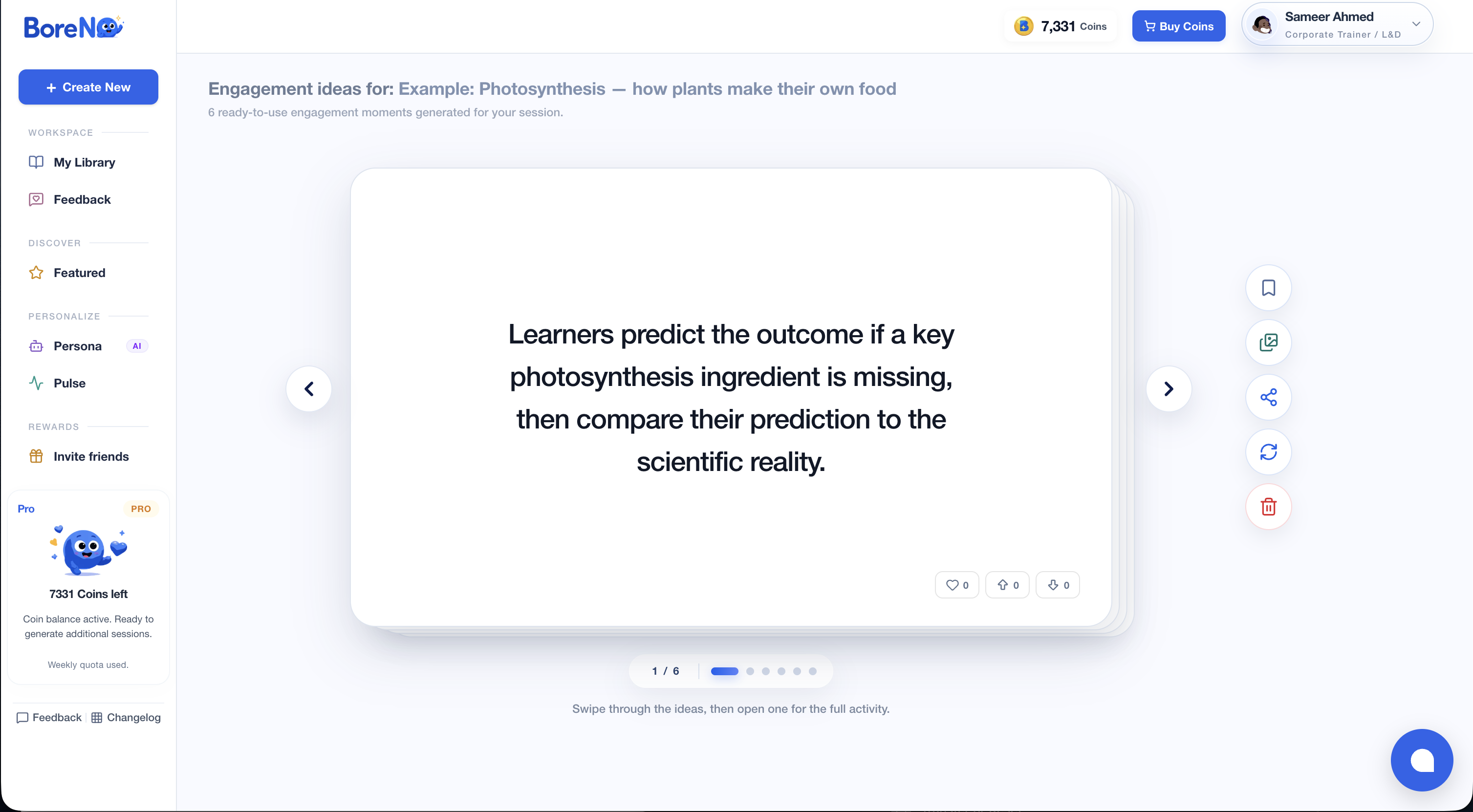
Browse the curated engagement ideas
Move through the activity cards and shortlist the idea that best supports the learning outcome and available lesson time.
 Full size
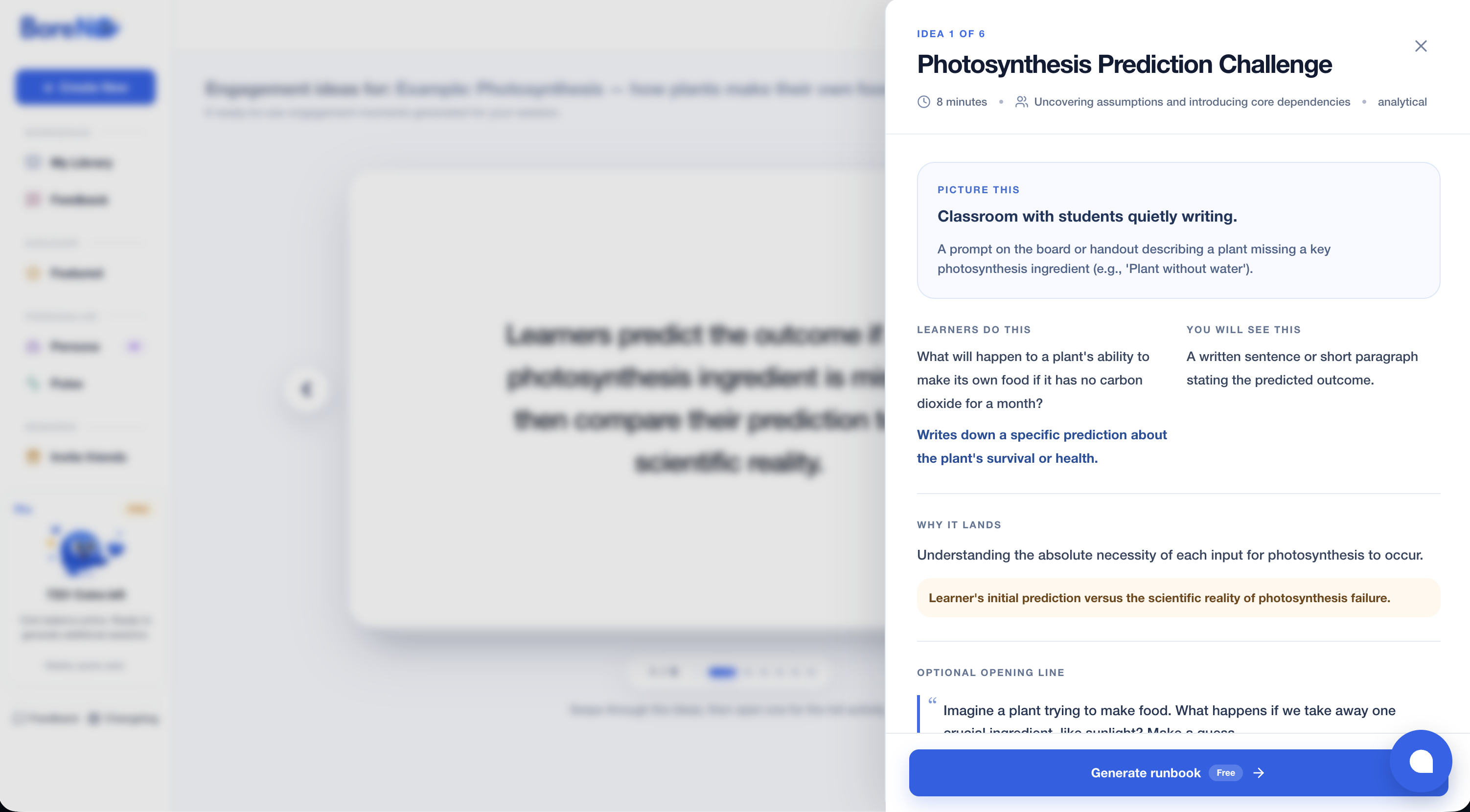
Open an activity and review how it works
Check the duration, learner action, observable result, rationale, and optional opening line before adding the activity to the lesson.
 Full size
Step 4: create the slide storyboard, then choose the design tool
Slides should support the learning sequence, not become the lesson plan. Ask your AI assistant for a slide-by-slide storyboard first. This gives Canva, Gamma, Gemini, or another presentation tool a stronger brief and prevents a deck full of generic text.
Canva's AI presentation tools can create a first visual draft, and verified K–12 teachers may qualify for Canva Education. Gamma can turn an outline or uploaded material into a deck. Gemini Canvas can create slide presentations where available. Napkin AI is most useful when a concept needs a diagram or process visual that you can bring into the deck.
Prompt: slide storyboard
Turn the approved lesson plan into a slide storyboard. The slides must support teaching, not replace it.

For each slide provide:
1. Slide purpose
2. A short title
3. Maximum 25 words of on-screen text
4. Suggested visual, diagram, example, or demonstration
5. Speaker note for the teacher
6. Learner action, if any

Design rules:
- one main idea per slide
- no paragraphs
- use examples appropriate for [CLASS/GRADE AND CONTEXT]
- include a retrieval question near the beginning
- include instructions on screen for every activity
- include one understanding check before the final task
- end with the learning outcomes and an exit question

Return the result as a clean table that I can paste into a presentation generator.
Tools mentioned
Step 5: generate questions that reveal understanding
Return to the same AI conversation so the questions stay aligned with the outcomes and examples. Ask for a deliberate mix: retrieval, application, misconception checks, and one transfer question.
Mentimeter works well for live polls, word clouds, and quick checks during the lesson. Quizizz can generate and deliver assessments from prompts, documents, or presentations. Whatever tool you use, review every answer and distractor before learners see it.
Prompt: question bank
Create a question bank for this lesson using the approved outcomes and lesson plan.

Generate:
- 3 quick retrieval questions
- 3 multiple-choice questions, each with one correct answer and three plausible distractors
- 2 scenario or application questions
- 1 misconception check
- 1 exit-ticket question that can be answered in under two minutes

For every question include:
1. The learning outcome it checks
2. Correct answer or success criteria
3. A short explanation
4. Difficulty: easy, moderate, or stretch

Avoid trick questions. Make the language appropriate for [CLASS/GRADE]. Randomize the location of correct multiple-choice answers. Flag any question whose answer depends on local curriculum or teacher judgment.
Step 6: turn the workflow into your own teaching assistant
Once the sequence works, save it. In ChatGPT, a Project can keep your planning instructions, reference files, and related conversations together. In Gemini, a Gem can hold repeat instructions for a particular task. Feature availability can vary by account, school administration, and region.
Give the assistant your planning preferences, not private learner records. You can include your usual lesson duration, required lesson-plan format, preferred activity constraints, tone, curriculum framework, and the checklist you use before teaching.
Reusable assistant instructions
You are my lesson-planning assistant. Help me reduce preparation time without replacing my professional judgment.

For every lesson:
1. Ask for topic, class/grade, duration, prior knowledge, curriculum requirement, class size, available materials, and learning needs.
2. Create observable outcomes before suggesting activities.
3. Build a realistic timed plan.
4. Identify passive stretches and add purposeful participation.
5. Create a slide storyboard only after the lesson flow is approved.
6. Generate assessment questions aligned to the outcomes.
7. Clearly label assumptions and facts I should verify.
8. Never request or retain personally identifying student information.

My normal teaching context:
[ADD YOUR REUSABLE CONTEXT HERE]

Do not complete every stage at once. Pause after each stage and ask for my approval or edits.
The five-minute teacher check before class
AI can compress drafting time, but the final five minutes still belong to you. Read the lesson as the person who knows the learners, the room, and what happened yesterday.
- Are the learning outcomes realistic for the available time?
- Is every example factually correct and suitable for this class?
- Will learners do more than listen?
- Can quieter or less confident learners participate safely?
- Do the questions actually check the stated outcomes?
- What will I remove if the lesson runs ten minutes behind?
The best result is not an AI-made lesson. It is a teacher-made lesson that took less time to prepare.
How the complete workflow connects
Each approved output becomes the input for the next task. The teacher reviews every handoff.
Written by
Sameer Ahmed